
website malware removal service
Website malware removal service for a site that's been hacked
- The last clean backup restored, or the files cleaned by hand where there isn't one
- The way in found and closed
- Every password changed
- Plugins and user accounts that do not belong, removed with your approval
- A written account, in plain words, of the hack and the fixes
- 9+ years
- building for the web, since 2017
Overview
The website malware removal service, step by step
A website malware removal service has one order of work, and I keep to it. First, the last clean backup goes back on, if one exists. The way the attacker got in is found and closed, and that's often an outdated plugin. Every password is changed. Then you get a note in plain words on what happened and what changed.
Where no clean copy exists, the work is slower. I clean each infected file by hand instead.
These are the signs that usually bring a site owner to this point.
- Pages you never wrote, often spam, turning up in search results
- Visitors sent off to a site you have never heard of
- A red browser warning before your page opens
- An alert about files that changed on their own, or a flood of login attempts
What a scope from me looks like
A WordPress malware removal service scope, written out
Included
- The last clean backup restored, or the files cleaned by hand where there isn't one
- The way in found and closed
- Every password changed
- Plugins and user accounts that do not belong, removed with your approval
- A written account, in plain words, of the hack and the fixes
Phase two
- Security work, so the doors nobody used get shut as well
- Weekly updates and watched logins on a care plan
- Off-site backups with a tested restore, if none were in place
Not doing
- Hacked sites on platforms that keep their files closed
The scope is short, because the job is urgent. It names what gets restored or cleaned, and what waits for its own quote afterwards.
Anything outside it is quoted first. A WooCommerce shop and a Next.js site follow the same order.
Process
What happens after you tell me the site's hacked
Your part is mostly at the start and the end. The middle three steps are the cleanup itself.
- 01
What you've seen
I doYou describe the signs, whether that's spam pages, a redirect, a warning or an alert. I ask when you first noticed it, and whether anything was installed or updated around then.You doSend the address, a screenshot of what you saw and the logins you have.You get: A first read on how far the hack has gone - 02
Restore, or clean by hand
I doThe last clean backup goes back on first. With no clean backup, the only way to remove malware from website files is to read and clean each infected one.You doTell me about orders or posts added after the clean backup's date.You get: A site with the infection gone - 03
Closing the way in
I doI find how they got in and shut it. Often it's an outdated plugin. Sometimes it's a username anyone could see, or XML-RPC left switched on.You doApprove removing any plugin or account that shouldn't be there.You get: The door that was used, shut - 04
New passwords and the note
I doEvery password is changed. You get a note in plain words on what happened, what was changed and what to keep an eye on.You doKeep the new passwords somewhere safe, and check the pages your customers use.You get: The note, and a site you've checked yourself - 05 · ongoing
Keeping it shut
I doA cleaned site stays clean when somebody keeps it updated and watches the logins. That can be my team on a plan, or a routine you run yourself from the note.You doDecide who looks after the updates from here.You get: Weekly updates and alerts, or a routine of your own

- What you've seen
- Restore, or clean by hand
- Closing the way in
- New passwords and the noteboth
- Keeping it shutboth
Why it matters
Why a restore beats a website malware cleanup by hand
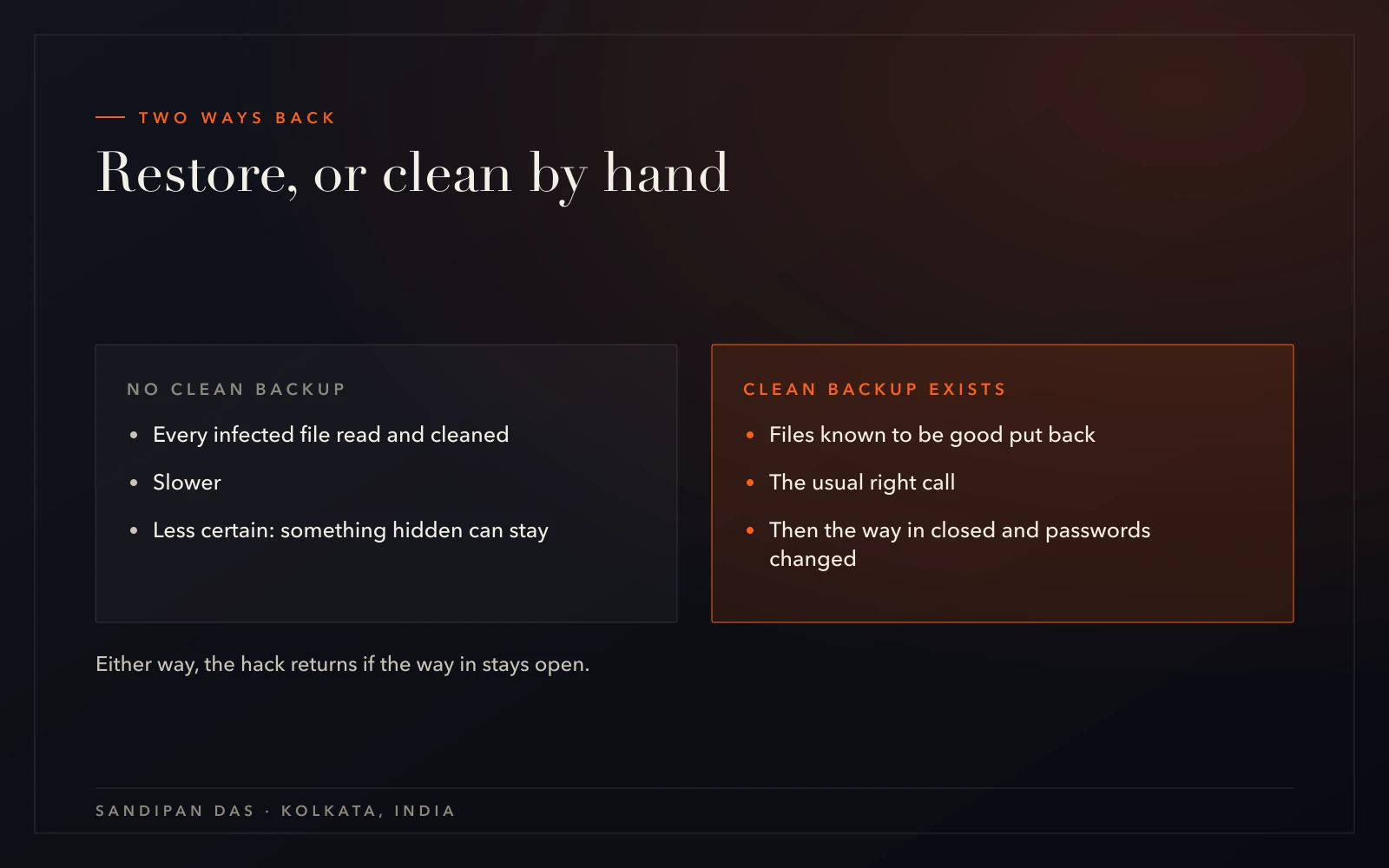
I restore a clean backup whenever one exists, rather than clean the hacked copy, because a restore puts back files known to be good. Cleaning by hand means reading file after file and deciding what belongs there. Something hidden can be missed.
What takes longer than people expect is exactly that hand cleaning, on a site with nothing clean to fall back on.
Restore first, wherever possible.
A red browser warning is worth understanding too. It means the browser has flagged the site as unsafe for visitors. The warning is a symptom. The site behind it is what gets cleaned.
The step a cleanup can't skip
Clean the site but leave the way in open, and the hack comes back.
What you get
Cleanup now, prevention after
If the site is hacked right now, cleanup comes first and prevention follows it. If it is not, start with website security instead.
A site that is broken without being hacked, like a checkout that stopped taking payments, is a job for website repair.
- Hacked website repair starts from the infection. Prevention starts from an audit of a site that is still clean.
- A cleanup shuts the door that was used. Prevention shuts the ones nobody has tried.
- A cleanup ends with a note on what happened. Prevention carries on every week, with updates and watched logins.
Client feedback
What returning clients wrote about us
- ★★★★★
“This is the second website he has created for us. He is professional and communicative and delivers beautiful work quickly.”
- ★★★★★
“Very professional Team and well prepared. I will definitly hire him and the team again.”
- ★★★★★
“Sandipan was fantastic to work with. He was professional, responsive, and skilled. I will recommend him and most likely use his services again.”
Pricing
What decides the cost of a cleanup
Whether a clean backup exists decides most of the work, and so most of the price. A restore is the shorter job. Cleaning by hand is the longer one.
Every piece of the work is in the written scope, and anything beyond it gets its own quote first. How a scope is built explains the rest.
If you have no backups you trust, website backup and recovery is worth setting up once the site is clean.
Weighing it up
Care, maintenance, management or support. Which one fits?
Next step
Tell me what you're seeing
Send the address and a screenshot of the warning, the redirect or the spam page. The first step is decided from that.
My website has been hacked — what's my first move?
- When a website has been hacked, change your own admin and hosting passwords from a device you trust, and don't delete anything yet. Find out whether your host keeps backups, because the cleanup starts from the last clean one. Then send the address and what you've seen.
How can I tell whether my website has malware?
- Malware on a website usually shows itself in a few ways. Pages you never wrote appear in search results. Visitors get sent to another site. The browser shows a red warning before the page loads. On a monitored site, files that changed on their own or a flood of login attempts set off an alert first.
Why does my site redirect to spam sites?
- A redirect to spam means someone has added code to the site. The way in is often an outdated plugin. The redirect stops once a clean backup is restored or the added code is cleaned out by hand, and it stays stopped only when that way in is closed.
How do you stop the hack coming back?
- A hack stays gone once its way in is shut and all the passwords are new. After the cleanup, weekly updates after a fresh backup and watched logins keep the site from slipping back into the same state. That ongoing work is website security, and it is quoted separately.
Will I lose content or orders during the cleanup?
- Content and orders from before the last clean backup come back with the restore. Anything added after that backup was taken is not in it, so say what changed in between before the restore starts. Without a clean backup, nothing is rolled back; the infected files are cleaned by hand.
Published · Updated