
website monitoring service
Website monitoring service: a person reads every alert and acts on it
- Uptime checks on the pages customers open
- Login attempts on the admin page watched
- File changes on the server watched
- Each alert set off once at the start, to prove it reaches a person
- The cause traced and fixed after an alert
- A monthly report listing what the checks caught
Overview
What my website monitoring service keeps an eye on
A website monitoring service checks your site from the outside and tells somebody when it goes wrong. My team's version watches uptime, logins and file changes.
An alert on its own repairs nothing. Somebody has to open it, read what it means and do the work.
That part is ours.
The checks run on WordPress, WooCommerce, Next.js and Node sites. You can see what an outsider sees on a WordPress site with the free WordPress site check, before anything is set up.
- Uptime: whether your pages actually load for a visitor
- Logins: a sudden run of attempts on the admin page
- File changes: files on the server that nobody on the team touched
- Once a month, a written report of the updates, the catches and the next jobs
What a scope from me looks like
A sample monitoring scope, in writing
Included
- Uptime checks on the pages customers open
- Login attempts on the admin page watched
- File changes on the server watched
- Each alert set off once at the start, to prove it reaches a person
- The cause traced and fixed after an alert
- A monthly report listing what the checks caught
Phase two
- A hand clean-up when a break-in finds no clean backup
- A new feature or an extra page
- A speed pass on pages that have slowed down
Not doing
- A promised response time
- Sites on Wix or Squarespace, where the files are out of reach
The scope names every check and who acts on it. Anything beyond those lines is quoted before any work on it begins.
Watching a site needs admin and hosting access. The fix after an alert happens inside the site, so without the logins there is nothing to repair with.
Process
How a site goes from unwatched to watched
Nothing gets watched until the site has been read once from top to bottom. Six steps, and most of your part comes at the start.
- 01
First conversation
You tell me the platform, the host, and the last few times the site misbehaved. Who built it makes no difference.- You
- Name the platform and the host, and describe the last time the site went down.
- Get
- A straight answer on whether the site is ready to be watched
- 02
The read-through
I go through the plugins, the hosting, the backups and the open doors the free site check looks for. The write-up lists what needs fixing before the watching starts.- You
- Hand over the admin, hosting and domain logins.
- Get
- A written fix list and a scope to sign
- 03
Switching the checks on
Uptime, login and file-change checks are set up on the live site. Every one of them is pointed at the team, not at an inbox.- You
- Approve any fix from the list that removes something, such as an old plugin or user account.
- Get
- Checks running on uptime, logins and files
- 04
Proving the alerts arrive
Each alert is set off once, on purpose, and we confirm it reached a person on the team.- You
- Click through the pages your customers use most and tell us anything that looks off.
- Get
- A passed test for every alert
- 05
The watch begins
Monitoring becomes part of the routine. Together we settle what goes into each monthly report.- You
- Tell us who else should hear about an outage.
- Get
- A watched site and an agreed report
- 06ongoing
When an alert fires
Someone on the team opens it, finds the cause and fixes it. A failed update goes back to the backup taken just before it. A break-in means the last clean backup goes back up, the way in is closed and every password is changed.- You
- Mention anything odd you notice between reports.
- Get
- A monthly record of what was caught and what was done
- First conversation
- The read-through
- Switching the checks on
- Proving the alerts arriveboth
- The watch begins
- When an alert fires
Why it matters
Your host watches its servers, not your pages
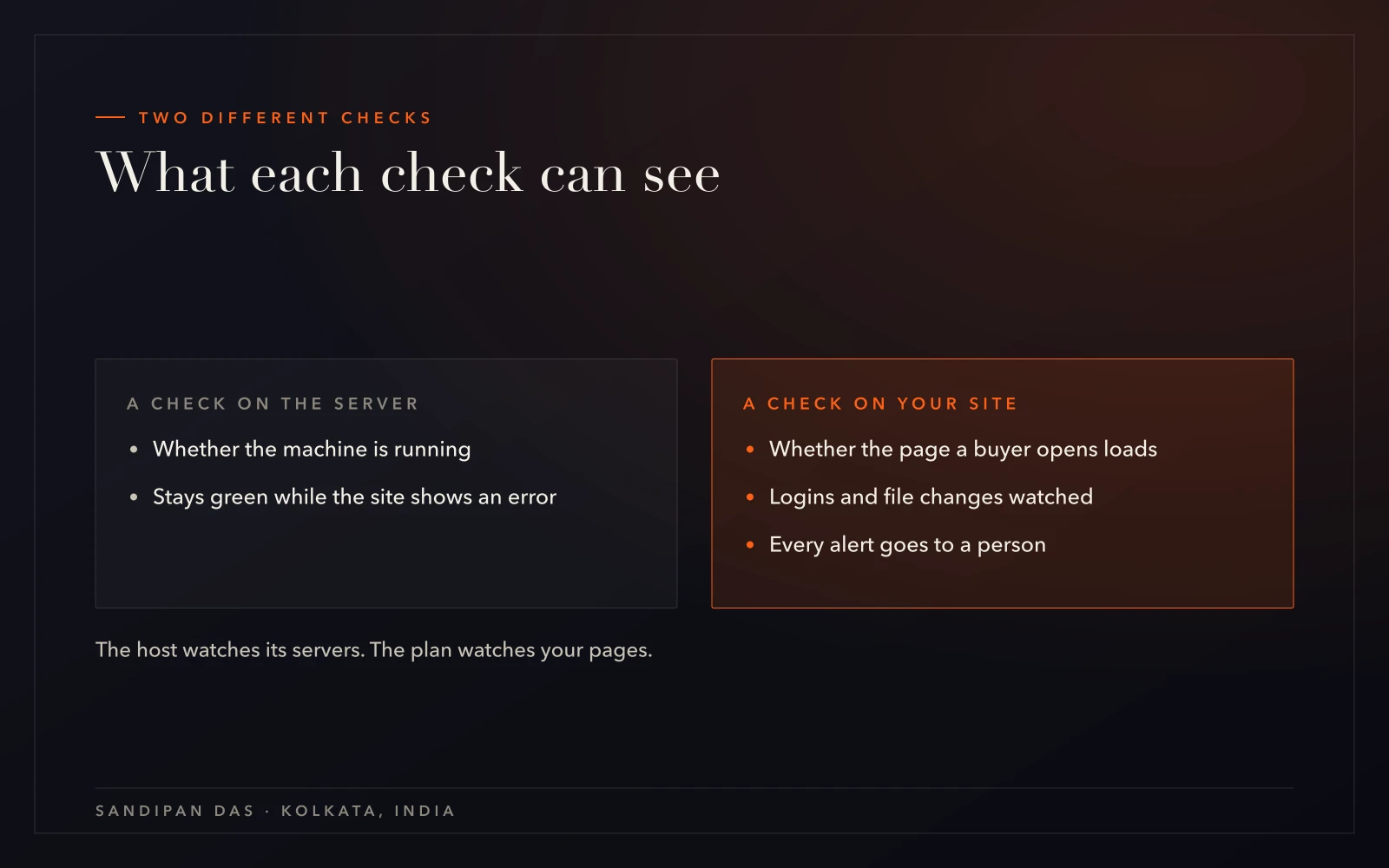
A host checks whether its server is running. A server can be running while your site shows a database error or a blank white page. The host's check stays green the whole time, and the news can reach you first from a customer.
So the check has to open your site itself, the same page a buyer opens.
My approach is to set off every alert once before the watching goes live. An alert that never arrives looks exactly like a quiet week. I'd rather find a broken alert on an ordinary afternoon than on the day the site is down.
A break-in on a site with no clean backup takes longer than people expect. That site has to be cleaned by hand, which is slower and less certain than a restore. It's why monitoring belongs next to off-site backups.
Who reads the alert
Support is the whole team, not one person — reach us any time, and someone picks it up.
What you get
A free alert or a watched site: which one fits
Free uptime tools exist, and they do the checking well. The guide to monitoring your uptime for free walks through setting one up.
If you'll read the alert yourself and know what to do next, start with the free set-up. If the alert would land with someone who can't fix a WordPress error, the managed version is usually the right one. It lives inside a website care plan, with the updates and backups that sit behind the checks.
- A website down alert service that messages the team, so the alert lands with someone who can act on it
- Website security monitoring of logins and file changes, read together with the uptime checks
- A website uptime monitoring service tied to weekly updates, each taken after a fresh backup
- Hacked sites cleaned and the hole closed through malware removal
Client feedback
Three clients who asked us back
- ★★★★★
“This is the second website he has created for us. He is professional and communicative and delivers beautiful work quickly.”
- ★★★★★
“Very professional Team and well prepared. I will definitly hire him and the team again.”
- ★★★★★
“Sandipan was fantastic to work with. He was professional, responsive, and skilled. I will recommend him and most likely use his services again.”
Pricing
What sets the cost of monitoring
The monthly figure comes straight from the scope you sign. Each check in it is named, and so is the work that follows an alert.
A hand clean-up after a break-in, or a new feature, is quoted separately before anyone starts. The page on how a scope is built walks through the questions that shape it, with no amounts attached.
A site that is already broken today needs website repair first. Monitoring starts once the site is working again.
Weighing it up
Care, maintenance, management or support. Which one fits?
Next step
Bring the address and the last outage
Book a call with your site's address and whatever you remember about the last time it went down. The read-through starts from there.
What is website uptime monitoring?
- Website uptime monitoring is a check that opens your site again and again and raises an alert when the site stops answering. On a plan with my team, that alert goes to a person who looks for the cause and fixes it, so someone acts on it.
What happens when my site goes down, and who fixes it?
- When a watched site goes down, the alert reaches the team and someone works out the cause. A failed update goes back to the backup taken before it. A break-in means the last clean backup is restored, the way in is closed and every password is changed. The monthly report records what happened.
Can you monitor a site you didn't build?
- Yes. Who built the site makes no difference. Monitoring starts with a read-through of the site as it stands, using the admin, hosting and domain logins, and the checks go on after the urgent fixes. WordPress, WooCommerce, Next.js and Node sites are all covered. Wix and Squarespace are not, because neither gives access to the files.
Is website monitoring part of a care plan?
- Website monitoring sits inside a care plan, next to the weekly updates and the off-site backups. The written scope you sign lists every check, and anything outside it gets its own quote first. The monthly report shows what the checks caught.
Doesn't my host already monitor my website?
- A host monitors its own servers, which is a different question from whether your site works. A server can be running while your site shows a database error or a blank page. Monitoring that opens your actual site, and sends the alert to a person, catches what a server check cannot see.
Published · Updated