
SEO for Developers · Business Tips
How to find broken links (and fix the 404s)
Broken links live in three lists — what Google hit, what your own pages link to, what visitors hit — and each dead URL gets one of three fixes: correct the link, redirect to the closest live page, or let it 404 and remove the links. Never the home page.

How to find broken links and fix 404s, in one paragraph
To find broken links, read three lists: Search Console's Page indexing report under "Not found (404)" — the dead URLs Google hit — a crawl of your own site for the dead links your pages contain, and the server's 404 log for what visitors hit. Then fix each one of three ways: correct the link, redirect it, or let it 404.
A 404 isn't a crime. Pages get deleted, products go out of stock, slugs get tidied — and a URL that no longer exists *should* return 404; that's the honest answer. The damage is in the links that still point there: a visitor clicks and hits a wall, and Google follows a link on your own site into nothing. So the job has two halves — find the dead ends, and decide per URL whether the right fix is the link, a redirect, or leaving it dead and cleaning up.
I do this on every redesign and migration because that's where most 404s are born: a new site with new addresses and an old sitemap, old menus and a hundred links from other sites still pointing at the old ones. The redesign rule on the sites I build is that every old URL is mapped before launch and checked in Search Console after — website redesign has that promise in writing.
The method below comes from hundreds of websites completed, and it runs on every redesign my team ships.
List one: what Google hit — Search Console
Page indexing → the "Why pages aren't indexed" table → "Not found (404)". Every URL there is one Google tried to fetch and got a 404 for — and Google only tries URLs it found somewhere, so each is a link that exists.
Click the row, export it, and for each URL ask where Google found it: URL Inspection → the page → "Referring page" often names it. That referrer is the link to fix. A dead URL with no referrer left is an old page that nothing links to any more — Google will drop it in time, and the honest 404 is the right answer.
Watch this row after a redesign like a hawk: it's where the old addresses show up first. The Search Console audit guide has the report in context.

List two: what your own pages link to — a crawl
A crawler starts at the home page, follows every link on every page, and lists each one that ends in a 404. That's the list Search Console can't give you in full: your own site's dead links, including the ones Google hasn't followed yet.
My team runs a full crawl with Screaming Frog on any site that comes in for an audit; it reports every internal link and its status code, and the 404s come out as a table of "this page links to that dead URL" — which is exactly the fix list. For a single page the free SEO checker reads the page's links and flags the broken ones, and the robots & sitemap checker reports dead URLs sitting in the sitemap — a 404 in the sitemap is a promise to Google that a page exists when it doesn't.
Crawl the site after every content clean-up, not just at launch. Deleting a page is easy; the links to it live on in old posts, menus and footers.
List three: what visitors hit — the server's 404 log
Visitors arrive from bookmarks, emails, ads and other sites — links you can't crawl. The server records every request that returned 404, and that log is the third list.
On managed hosting it's a report in the panel; on a server it's the access log filtered for 404; on WordPress, several plugins keep a 404 log, including the redirect plugins that then let you fix each one in place. Sort by hits: a dead URL hit two hundred times a month is a redirect worth making today; one hit once by a bot is noise. This list also catches the typos and the case differences — /Services/ against /services/ — that neither Google nor a crawl of your own pages will find.
Fix each dead URL: one of three
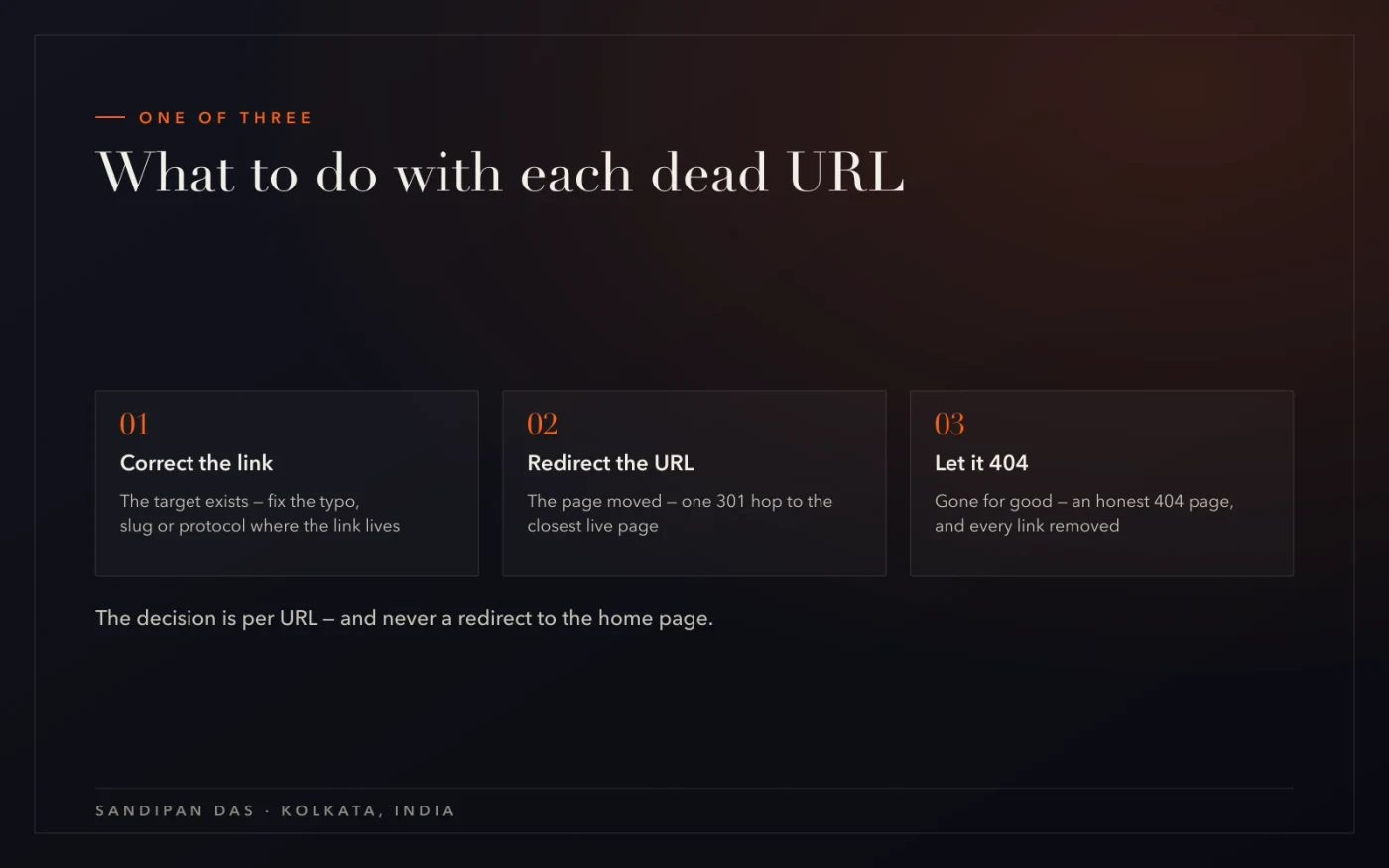
Correct the link, redirect the URL, or let it 404 honestly. The decision is per URL, and the wrong default — redirect everything to the home page — is worse than leaving it dead.
- The target exists and the link is wrong: correct the link — A typo, an old slug, a missing trailing slash, http instead of https. Edit the link where it lives — the post, the menu, the footer — and the 404 is gone at the source. Most internal broken links are this.
- The page moved or was merged: redirect the old URL — A 301 (permanent) redirect from the old address to the closest live page — the new address of the same content, or the page that replaced it. One hop, never a chain. Google's canonicalisation guidance calls a redirect "a strong signal" that the target should become the canonical, so the old URL's standing carries over. Then fix the internal links to point at the new address directly, so the redirect is only for the outside world.
- The thing is gone for good: let it 404, and clean up — No replacement exists — a discontinued product, a one-off event, a page that never should have been there. A 404 is the honest status; return it, with a 404 page that helps (search, the places people usually meant), and remove every link to the dead URL. Don't redirect it to the home page: Google treats an irrelevant redirect as a soft 404, and a visitor who wanted the old page learns nothing from the home page.
Verify: the row shrinks, the crawl comes back clean
Re-crawl after the fixes, and watch the "Not found (404)" row in Page indexing as Google recrawls — Google gives no timeframe. The 404 log tells you sooner whether visitors are still hitting the old addresses.
Two checks that catch what slips in while fixing. First, redirect chains: a URL redirected to a URL that redirects again. Point every old address straight at the final one. Second, soft 404s: a "page not found" message served with a 200 status, which Google lists under its own reason row. A dead URL should say 404 in the status code, not only in the headline.
What's easy to get wrong
Four mistakes, in the order I find them.
- Redirecting everything to the home page. Google calls it a soft 404; visitors call it a dead end with extra steps. Redirect to the closest page or let it 404.
- Leaving the links in place after the redirect. The redirect handles the outside world; your own links should point at the new address. A site full of internal redirects is a site full of slow hops.
- Chains. Old → older → current. Every hop is a fetch and a chance to break. One hop, straight to the final page.
- 404s that return 200. A pretty "not found" page with a success code. Google indexes it as a page; visitors' browsers think it worked. The status code is the truth.
Find the dead ends in all three lists; fix each one at its source — the link, a one-hop redirect, or an honest 404. Never the home page.
Read next
The report that lists them, the redirect rules on a redesign, and the services.
- Google Search Console SEO audit — the guide
- How to fix indexing problems — every reason, every fix
- Website redesign — every old URL mapped
- Website repair
- Technical SEO services
- Free SEO checker
If you'd rather have the three lists worked through
Run the free SEO checker on your most-visited page — it flags the broken links on that page. If the "Not found (404)" row is in the hundreds after a redesign, that's a mapping job: technical SEO services is where every old URL gets its decision and its redirect, and the row is watched until it's empty.
Questions
Questions this post answers
How to fix redirect chains?
- Point every old URL directly at its final live page instead of through intermediate addresses, and update your own internal links to use the final URL so the redirect is only needed by the outside world. A crawl of the site lists chain lengths; Search Console's "Page with redirect" and "Redirect error" rows show the URLs Google tripped on.
Do 404 errors hurt SEO?
- A URL that genuinely doesn't exist returning 404 is correct and costs nothing on its own. What hurts is the links: an internal link into a 404 wastes a visitor's click and a crawler's fetch, and a redirect from a page that used to rank into an unrelated page loses whatever it had. Fix the links and the redirects; let the truly dead URLs stay dead.
Should I redirect 404 pages to the home page?
- No. Google treats a redirect to an unrelated page as a soft 404 — it's still counted as not found — and a visitor who wanted a specific page gets the home page instead of an answer. Redirect to the closest equivalent page when one exists; otherwise return an honest 404 with a page that helps people find what they meant.
How often should I check for broken links?
- After every launch, redesign or content clean-up, and monthly as part of the Search Console read — the "Not found (404)" row and the 404 log. Deleting a page is a moment; the links to it live on in old posts, menus and other people's sites, so the check is never quite finished.